
FuseDesk Blog

Home/FuseDesk Blog/

Connecting Twitter to FuseDesk

Depreciation NoticeAs of April, 2023, Twitter is no longer supported in FuseDesk due to Twitter's API changes. Easily connect Twitter to FuseDesk so that you can chat on-one-on with your prospects and customers over Twitter Direct Message (DM). Twitter is available for FuseDesk Enterprise apps. Adding an Account To add Twitter to your FuseDesk app, Keep Reading...
Data Retention and Privacy Settings in FuseDesk

FuseDesk PRO and Enterprise plans can configure Data Retention Settings in FuseDesk to control when certain kinds of data is automatically archived, anonymized, and deleted. Five data objects are currently supported, specifically Cases, Chats, Reps, Contacts, and Emails. These three steps - Archival, Anonymization, and Deletion - happen, if configured, in that specific order. You Keep Reading...

MemberPress for WordPress and FuseDesk for Help Desk and Live Chat

FuseDesk works beautifully with the MemberPress WordPress membership site plugin to help your members get the help they deserve by easily creating new support tickets and live chatting with your membership support team. First, follow our instructions to install and setup your FuseDesk WordPress plugin. With FuseDesk’s plugin for WordPress, your logged in MemberPress members will Keep Reading...

LearnDash and FuseDesk for LMS Help Desk and Live Chat

FuseDesk works beautifully with your LearnDash Learning Management System (LMS) to help your students get the help they deserve by easily creating new support cases and starting live chats. Follow our instructions to install and setup your FuseDesk WordPress plugin. With FuseDesk’s plugin for WordPress, your logged in members will be able to view their Keep Reading...

Setting Meta Data for Live Chat Visitors

FuseDesk's Live Chat allows you to set custom meta data about your website visitors so your team can better assist your prospects and customers. For example, you might want to set what Membership Level a logging in Member has. Or what company a logging in user works for. Or what version of your app a Keep Reading...

ActiveCampaign Users in FuseDesk

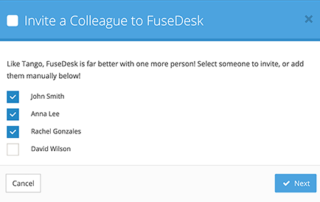
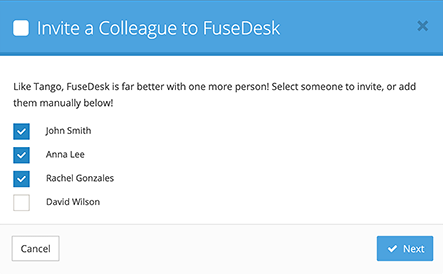
ActiveCampaign Users can easily log into FuseDesk as reps. They just need to be invited to FuseDesk or linked to an existing FuseDesk rep. Once a FuseDesk Rep is linked to an ActivateCampaign User, their FuseDesk case activity will be properly linked to their User inside of ActiveCampaign. Inviting ActiveCampaign Users to FuseDesk There are Keep Reading...

Applying ActiveCampaign Tags to Contacts from FuseDesk

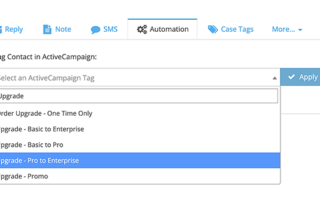
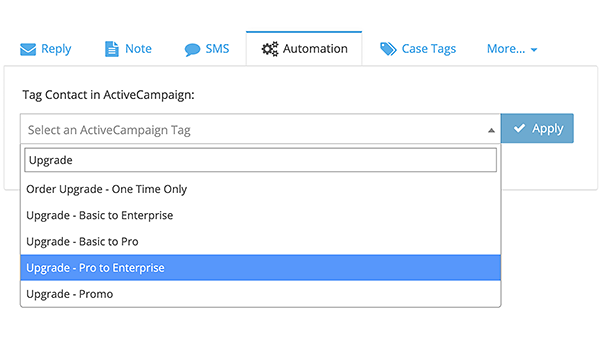
Your ActiveCampaign Tags are available for your team to use inside of FuseDesk. From a case, click Automation and choose which ActiveCampaign Tag you’d like to apply to your Contact. Click Apply and the contact will be tagged inside of ActiveCampaign. Tagging a contact is a great way to trigger powerful automations in ActiveCampaign without Keep Reading...